Fixed readings, clear status and controlled artwork
Custom Medical Segment LCD Displays
Custom segment LCD components for blood pressure monitors, glucose meters and digital thermometers. Define the readings, icons, power budget and viewing conditions with the OEM's electronics and device validation plan.
The display component is developed in coordination with the customer’s controller, enclosure and validation plan.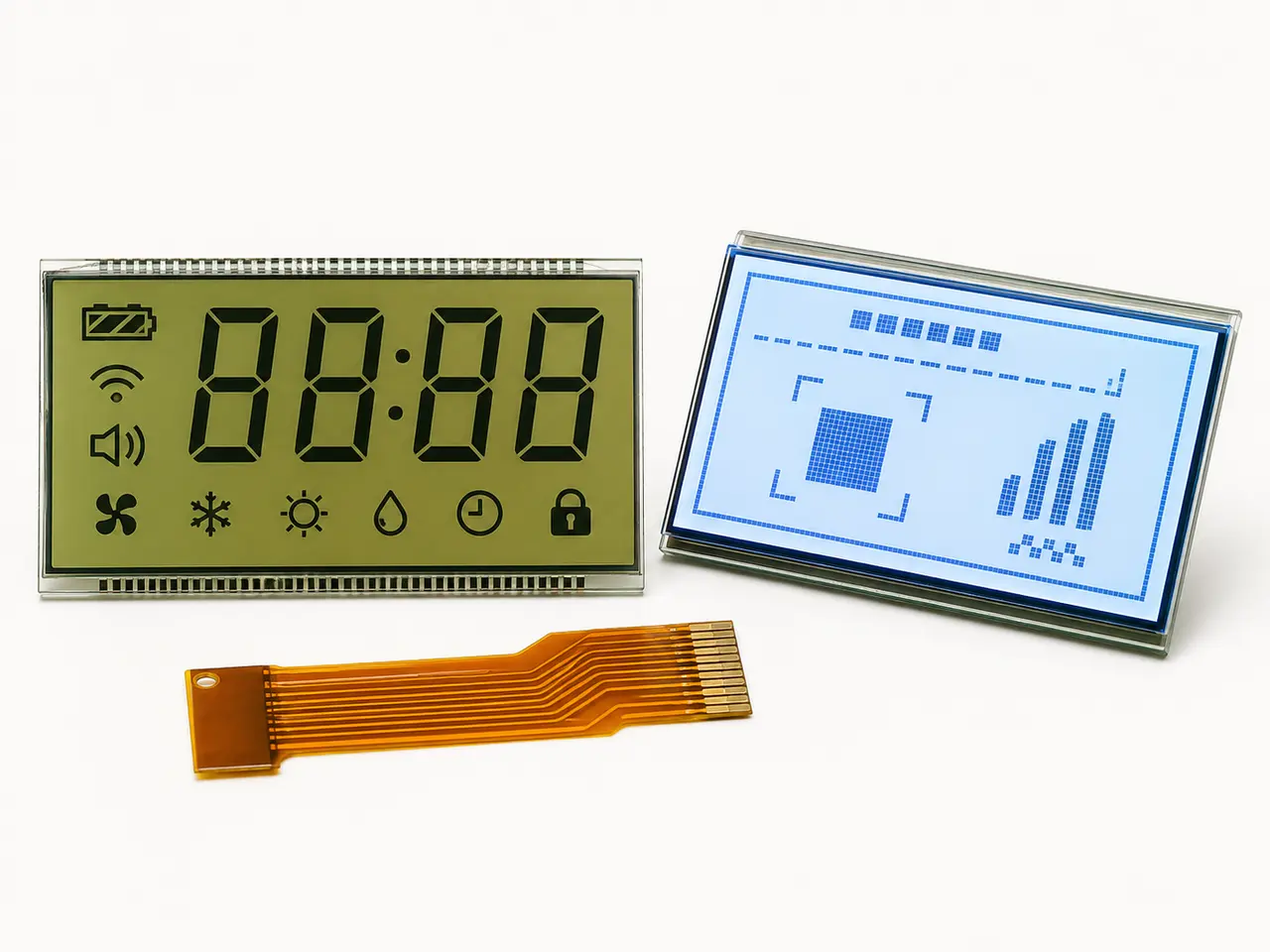
Display-component reference, not a certified medical device or a photograph of a specific monitor. Artwork and performance are defined for the OEM project.
Application fit
Start with the real constraints.
Custom segment LCD display components for blood pressure monitors, glucose meters and thermometers. Review artwork, drive, legibility and OEM validation. The goal is not simply to find a panel—it is to confirm a display that works in the product and can be supplied through its lifecycle.
Discuss this applicationTypical engineering challenges
Icons for error and battery states
Battery and backlight budget
Controlled artwork and revision history
Recommended project approach
Map every value, unit, alarm and all-segments state
Confirm glass size, viewing direction and front lens
Match the LCD drive waveform, connector and host PCB
Approve samples in the complete device with the OEM
Medical segment LCD specification
Specify the display around each device's reading task.
These are application briefs for an OEM engineering review, not claims that one glass design fits all three devices. The finished medical device and its regulatory evidence remain the OEM's responsibility.
Blood pressure monitor LCD
Define systolic, diastolic and pulse values, units, irregular-heartbeat or error indicators only where the device design needs them. Check contrast and digit hierarchy at the actual reading distance.
Glucose meter LCD
Map the measurement value, unit, trend or code state, strip and battery messages from the approved UI. Review small active areas, indoor and outdoor viewing, and display response across the device temperature range.
Thermometer LCD display
Separate measurement, memory, fever or error states according to the device interface. Verify decimal position, units, viewing direction and startup display test with production-intent electronics.
Drive and change control
Confirm duty, bias, RMS voltage, pin mapping, connector and backlight with the controller. Freeze approved artwork and sample revisions before repeat production.
Three device briefs
Review the display by device type.
Each product has its own value range, symbols, drive and validation plan. Choose the closest brief, then share the approved artwork or reference sample.
Blood Pressure Monitor LCD Displays
Custom segment LCD components for blood pressure monitors. Review reading layout, units, alerts, driver mapping, visibility and OEM device validation.
Review device displayGlucose Meter LCD Displays
Custom segment LCD components for glucose meters. Define values, units, status symbols, compact glass, low-power drive and device-level validation.
Review device displayThermometer LCD Displays
Custom thermometer LCD components for OEM devices. Review temperature digits, units, memory and status icons, viewing angle and display-drive compatibility.
Review device displayRecommended display paths
Start with the most relevant product category.
Low-power custom glass
Segment & Graphic LCD
Purpose-built segment, VA and monochrome graphic LCDs for clear information, low power and stable production.
Review category
Built for the use environment
Application Displays
Display components for HVAC, industrial controls, handheld devices and education products, including LCD, TFT and reflective e-paper options.
Review categoryRelated application path
Continue with the right display brief.
Medical & Handheld Displays
Compact, low-power and high-clarity display components for monitors, diagnostics and portable medical devices.
Review applicationEngineering guidance
Resolve the technical risks before the RFQ.
Use these application-specific guides to identify failure causes, validation requirements and the information needed for a useful first review.
Browse all engineering guidesHow to Specify a Medical LCD Display: 10 Requirements for OEM Devices
An OEM engineering and procurement guide to medical LCD readability, cleaning compatibility, glove touch, EMC, environmental validation and long-term supply.
Read the engineering guideCustom Segment LCD Manufacturer: Design, Tooling, MOQ and Samples
A purchasing and engineering guide for OEM teams developing a custom segment LCD around their artwork, PCB, enclosure, environment and production plan.
Read the engineering guideHT1621 LCD Module Design: Driver, Glass and Supply Checks
An engineering checklist for specifying a custom segment LCD around an HT1621 or HT1621G driver, without assuming a ready-made module or a drop-in replacement.
Read the engineering resourceApplication RFQ
Information that makes the first review useful.
- Device type and display-state artwork
- Units, digits, icons and error states
- Viewing area, glass outline and front-lens constraints
- LCD driver, waveform, pin map and supply
- Operating conditions, sample quantity and annual forecast
Related engineering paths
Compare the core LCD engineering paths.
Use the relevant core page to move from application requirements to product options, technical guidance and a complete RFQ.
Application questions
Clear scope before the project starts.
The display is reviewed with the customer’s controller, enclosure and finished-product validation plan.
01Can one segment LCD fit blood pressure, glucose and thermometer products?+
Usually no. Each device has different values, units, safety-related messages and mechanical constraints. A common technology does not imply a common glass artwork or pin map.
02Is the LCD module certified as a medical device?+
No certification of a finished medical device is claimed here. CXW Display supplies the display component; the OEM defines and validates the complete device and its regulatory requirements.
03What should the first RFQ include?+
Send display artwork or a reference sample, values and icons, glass outline, drive details if available, environment and annual demand. Missing details can be resolved in an engineering review.