What cooperation between an AI agent and a display means
A display presents information; an AI agent observes context, reasons across data and can propose or perform actions within defined permissions. When the two are designed together, the screen becomes the visible contract between the agent, the device and the user. It can show what the agent detected, why an action is recommended, what will happen next and where human approval is required.
- The display communicates the current state and the agent's proposed next step.
- The agent reduces information overload by ranking what matters now.
- The user confirms, corrects or stops actions through a clear visual interface.
- The product records decisions and exceptions for later review.
1. AI agents will read and operate existing screens
Computer-use agents already demonstrate the basic pattern: observe a screenshot, identify controls, then use mouse or keyboard actions. This creates a bridge to legacy industrial software and other graphical interfaces that may not have a modern API. The near-term opportunity is not a fully autonomous factory; it is supervised assistance for repetitive navigation, data entry, checklist completion and cross-system comparison.
- Read values, labels, alarms and trends from an existing GUI.
- Guide an operator to the correct screen or procedure.
- Prepare a change while requiring a person to approve execution.
- Escalate when the visual state is ambiguous or outside the agent's authority.
2. Displays will become adaptive rather than merely dynamic
A dynamic interface changes when software state changes. An adaptive interface can also change according to the user, task, ambient conditions and risk level. An AI agent could move from a dense engineering view to a simplified operator view, enlarge a critical warning in bright light, translate instructions, or summarize a long event history. Adaptation should preserve information structure and never make safety-critical status depend on color or personalization alone.
- Role-aware views for operators, maintenance teams and supervisors.
- Context-aware brightness, contrast, language and information density.
- Natural-language explanations linked to the underlying measurement.
- Accessible alternatives such as simpler layouts, speech and larger targets.
3. Industrial HMI will combine alarms with decision support
Today many industrial displays tell people what happened. An AI-supported HMI may also correlate sensor history, maintenance records and operating context to suggest what should be checked next. Edge AI is already used in manufacturing for predictive maintenance, quality inspection and worker-safety applications. The display is where those findings become an understandable, prioritized and auditable workflow for the person responsible.
- Group related alarms instead of presenting an unfiltered alarm flood.
- Explain the likely cause while clearly separating fact from prediction.
- Show confidence, evidence and the safest next diagnostic step.
- Keep emergency stops and certified safety controls independent of the agent.
4. Visual agents will connect displays to the physical world
Multimodal and embodied AI research shows a broader direction: systems can combine visual input, language, spatial reasoning and action planning. In future equipment, an agent may compare a camera view, machine state and HMI instructions, then highlight the relevant component or procedure on a display. The value comes from making physical context visible and actionable—not from hiding the process behind automation.
- Service displays that identify the component connected to an alarm.
- Warehouse screens that combine task status with visual verification.
- Medical or laboratory interfaces that surface a checklist at the right step.
- Vehicle and mobility displays that summarize context without distracting the user.
5. Edge AI will matter when latency, privacy or connectivity is limited
Not every decision should travel to a cloud service. Local inference can reduce response time, keep selected data on the device and maintain core behavior when connectivity is unavailable. The engineering trade-off is broader than processor speed: power, thermal design, memory, update policy, cybersecurity and the display's own brightness budget all interact. A simple screen with reliable local logic may be better than a rich interface that depends on an unstable connection.
- Define which features must continue offline.
- Separate local safety logic from optional cloud intelligence.
- Show connectivity and data-sharing state clearly to the user.
- Plan secure model, firmware and interface updates across the product lifecycle.
6. AI does not automatically require a TFT display
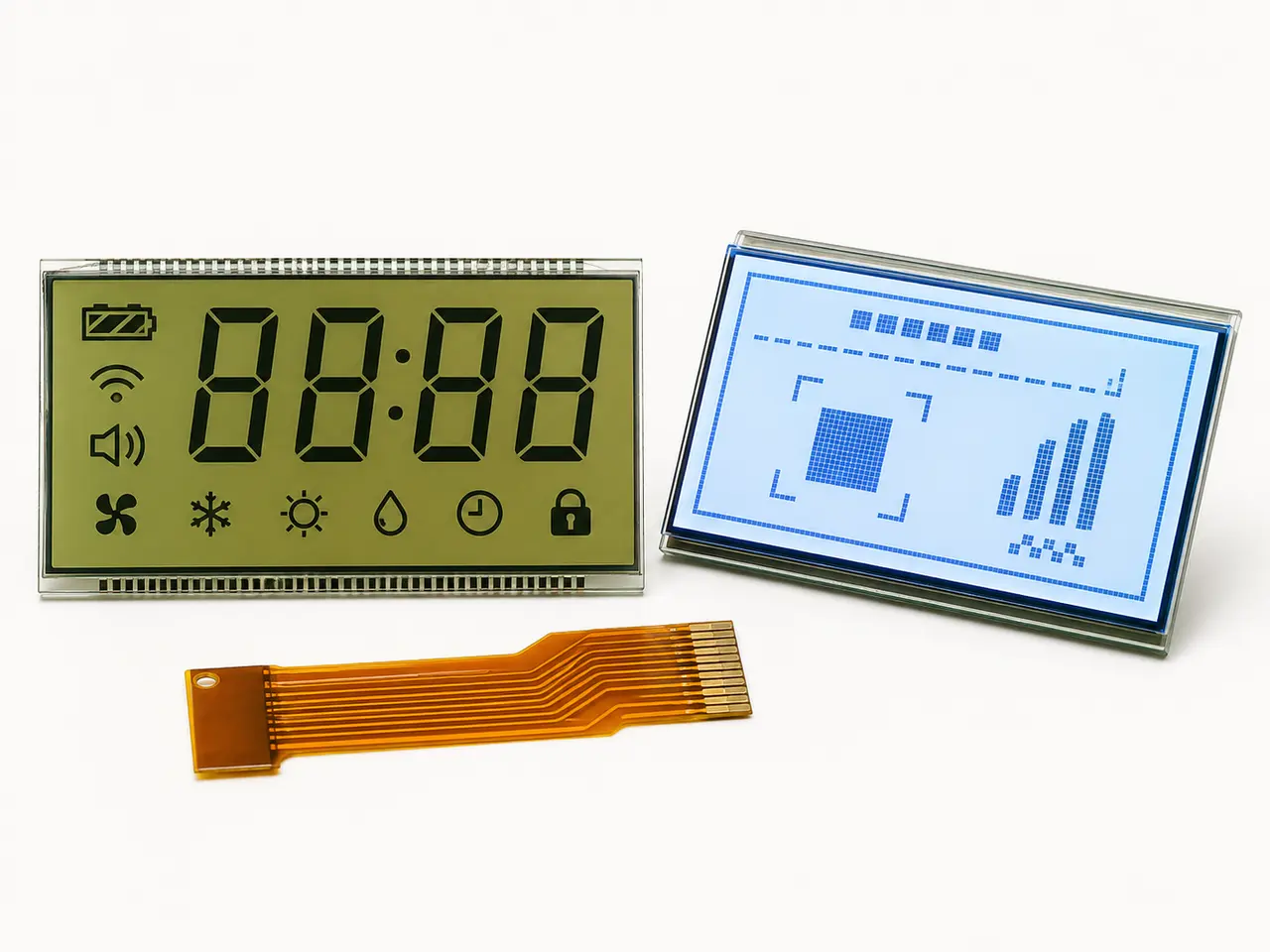
The AI capability may run in the controller, gateway or cloud while the product only needs to show a small number of confirmed states. Segment LCD, character LCD and monochrome graphic LCD can remain ideal for meters, HVAC controls, battery products and industrial instruments. TFT becomes valuable when the interface needs changing layouts, detailed explanations, images, charts, touch interaction or many languages.
- Use segment LCD for fixed, glanceable and very low-power status.
- Use monochrome graphic LCD for flexible text and icons with modest power.
- Use TFT LCD for rich visual hierarchy, charts, images and touch workflows.
- Select brightness, viewing angle, interface and lifecycle from the real application.
A realistic development roadmap for AI-enabled display products
Start with one bounded workflow where the agent creates measurable value. Define the data it can see, the actions it can recommend, the actions it may perform and the conditions that require human approval. Prototype the complete information flow before locking the panel, controller, FPC or enclosure. This avoids choosing a display technology before the actual interaction model is understood.
- Map users, decisions, alarms and required confirmations.
- Separate measured facts, AI inferences and commanded actions visually.
- Design fallback states for low confidence, offline mode and agent failure.
- Validate readability, response time and task success with representative users.
- Document data retention, cybersecurity, updates and long-term component supply.
What is likely in the next five years—and what remains uncertain
The strongest near-term pattern is supervised assistance: agents summarize, navigate, compare and recommend while a person remains responsible for important actions. More adaptive and embodied interfaces are plausible as multimodal models and on-device computing improve, but adoption will depend on reliability, regulation, cost, cybersecurity and user trust. Product teams should design for incremental capability rather than assuming full autonomy on a fixed date.
- Near term: AI copilots layered onto existing HMI and service workflows.
- Next stage: role-aware interfaces that adapt content and explanations.
- Longer term: closer coordination among displays, sensors, machines and physical agents.
- Constant requirement: a clear human-readable state, permission boundary and safe fallback.